We're always working to improve your Wisely experience so you can get back to what matters most—your guests.
Here's a snapshot of what's changing with our upcoming release:
Wisely Host App updates give you more control to streamline operations and better personalize your guest experience.
On the Wisely iPad Host App:
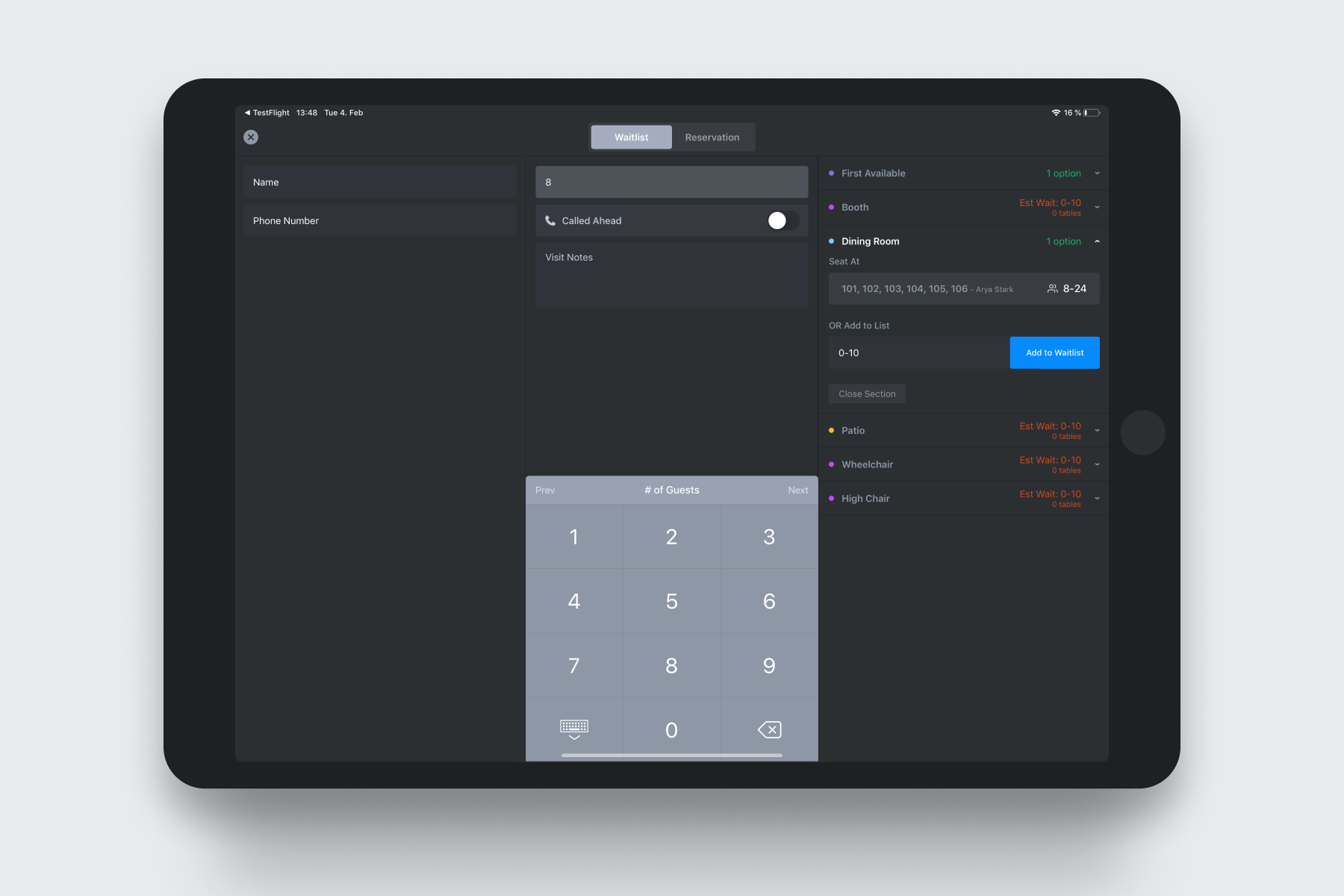 Section Based Quoting and Suggested Seating
- Cover Counts by Shift: in addition to total covers for the day, see a summary of covers by shift (breakfast, lunch, dinner). You can also drill down into past days/weeks
- Guest Notes: add notes (in addition to tags) to Guests' profiles via the Wisely Host App, notes flow into guest profiles on the Wisely Web Dashboard
Here’s a snapshot of new features you can request Wisely enable:
- Section-Based Quoting: view quote times by section, so your Hosts have quick access to the information they need to help seat guests faster
- Suggested Seating: Wisely will suggest the best sections and tables for walk-in parties
On the Wisely Web Dashboard:
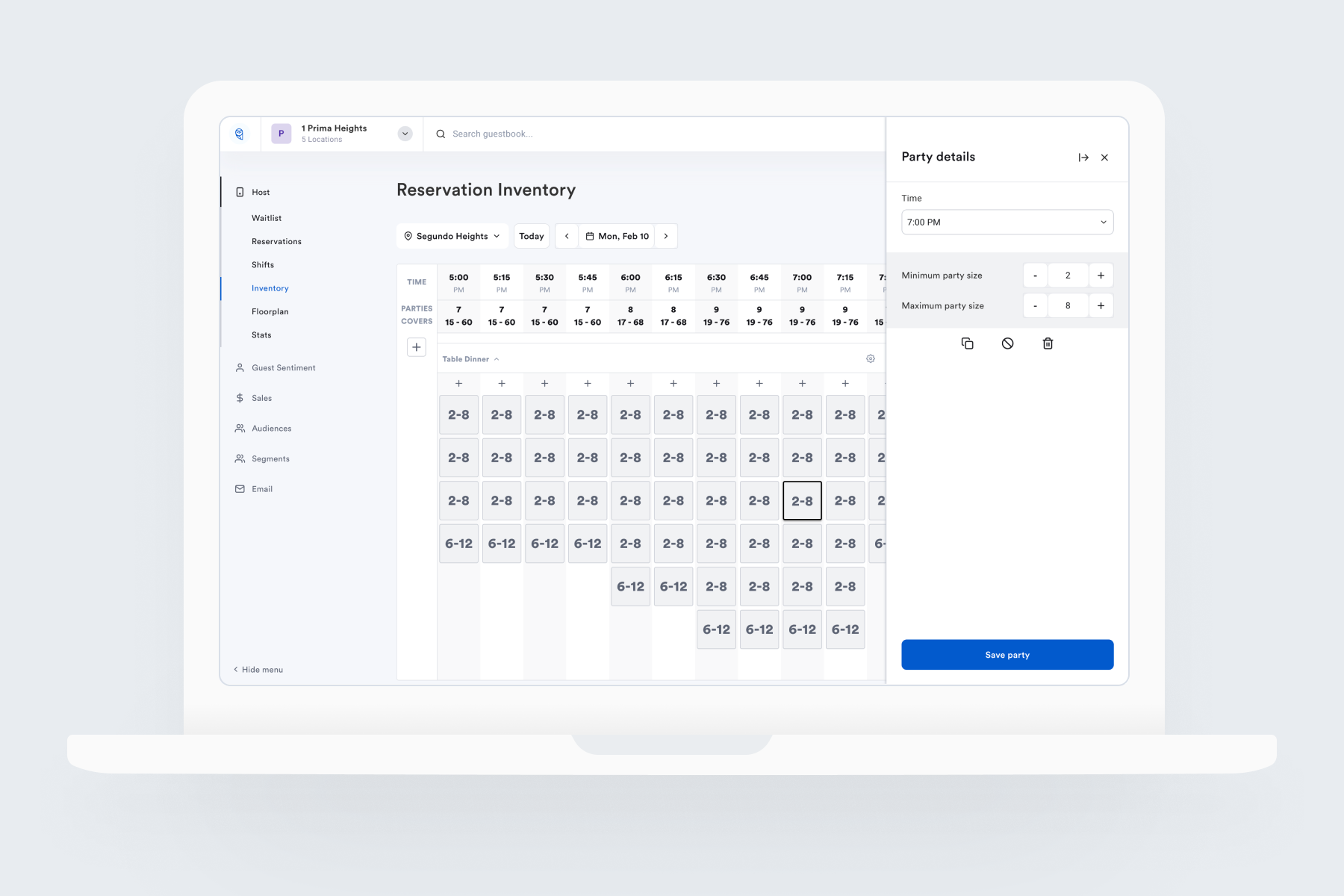 Reservation Availability
- Reservation Availability: control to easily view, edit, and publish your reservation availability with flexible (cover) pacing or by table number
- Floorplan Builder: keep your table layouts up-to-date in the Wisely Host App with direct access to easily view, edit, and publish your floorplans
Improved Marketing Automation functionality provides deeper insights with a faster architecture, more granular guest data from more sources, & improved guest segmentation.
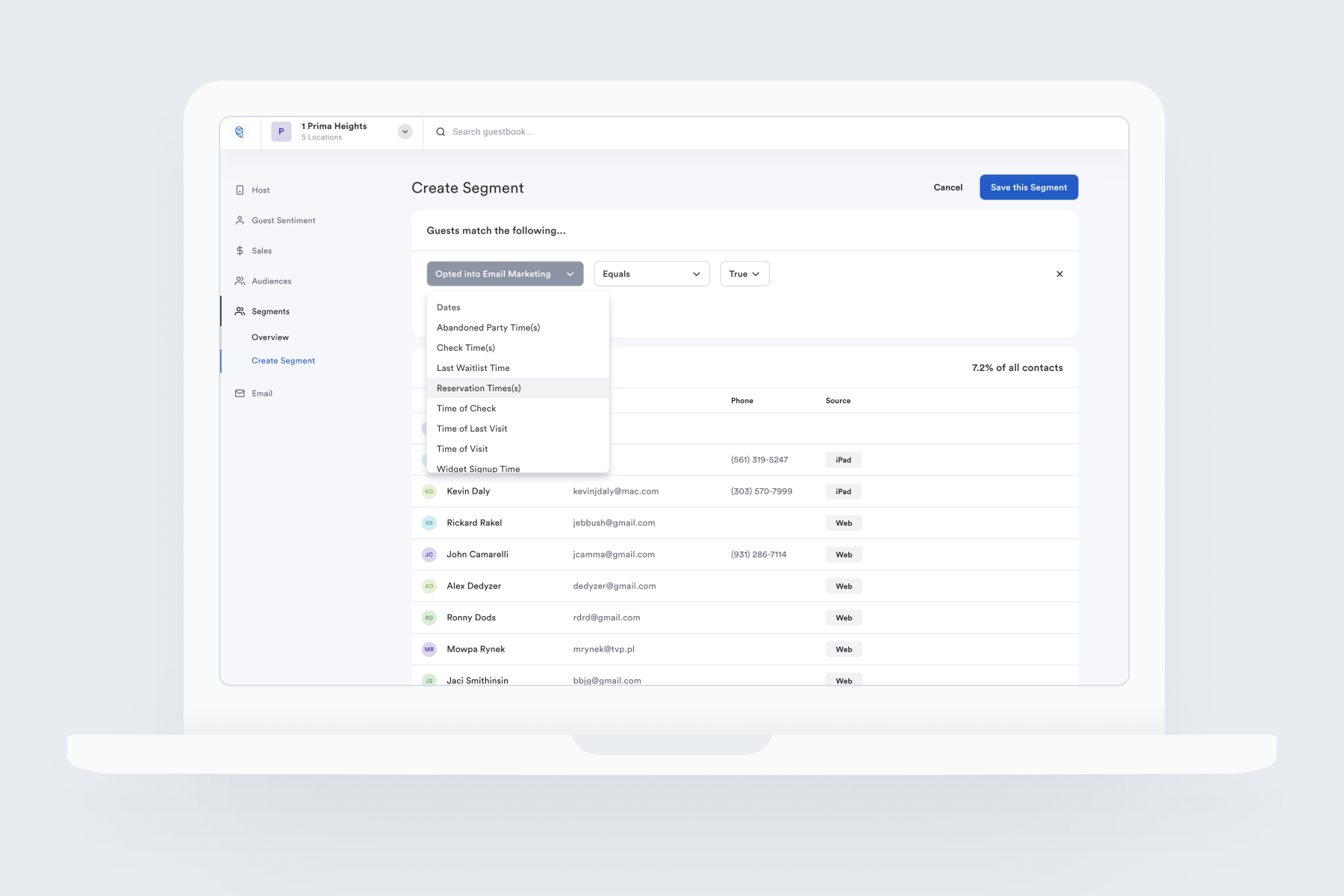 Segment Builder
- “Audiences” renamed “Segments”
- Segment Builder: new interface gives marketers easy access to create complex queries—fast
- More Segment data sources: create segments using data points like frequency, items ordered, zip code, and more
- Table/list view of Segments now includes: segment size, lifetime frequency, average check
- Guest Notes: add details to guest profiles, accessible at the host stand and within the web dashboard
To have any of these features enabled in your account, please contact support@getwisely.com