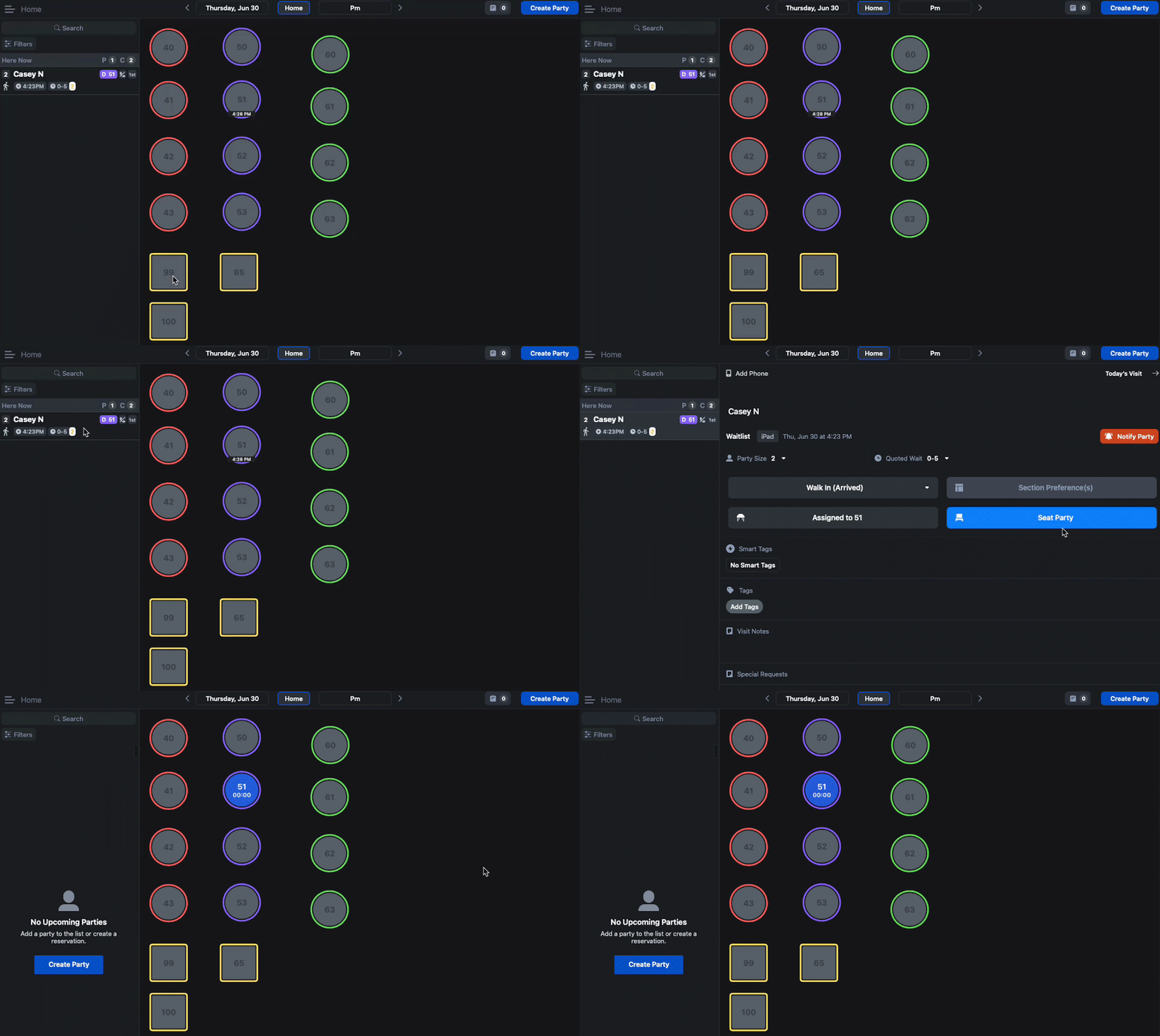
When guests start to arrive at the restaurant, it is important for the door staff to be able to efficiently assign and seat those parties to tables. With the Host app there are a few ways this can be done:
Skip To:
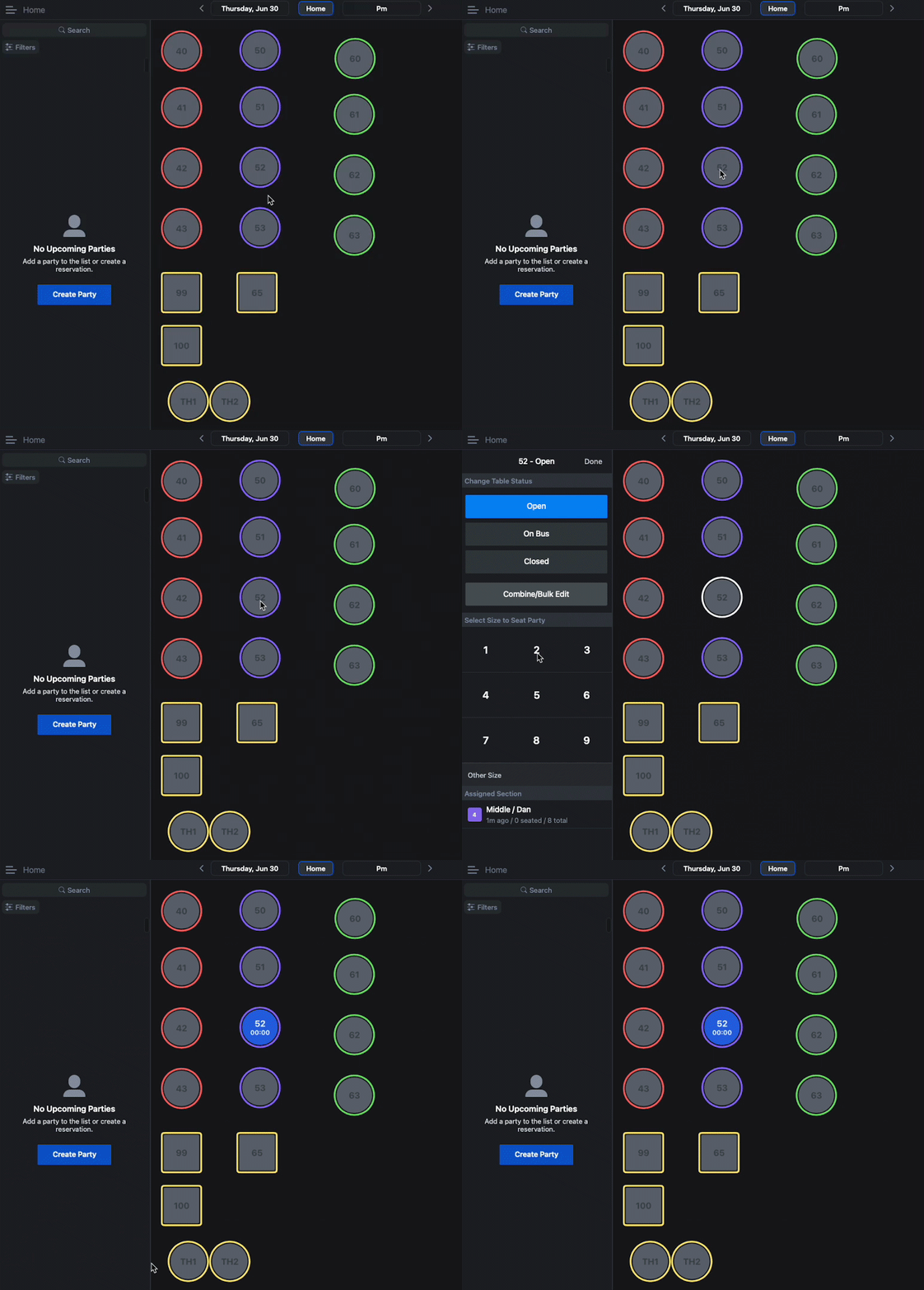
Quick-Seat
Quick-Seat is often used when you have availability to seat parties right away. Please note that this method does not capture guest data such as their name or phone number. To quick-seat a party:
- Tap on the open table you would like to seat the party at
- Select the party size using the keypad on the left side of the screen
Assigning Waitlist Parties to Tables
Parties can be assigned to tables ahead of being seated in a few different ways:
- Swipe the party information all the way to the left
- Tap on a table to select it
- Select 'Assign for [estimated ETA]' to assign the table or 'Seat Now' to seat the party

Or:
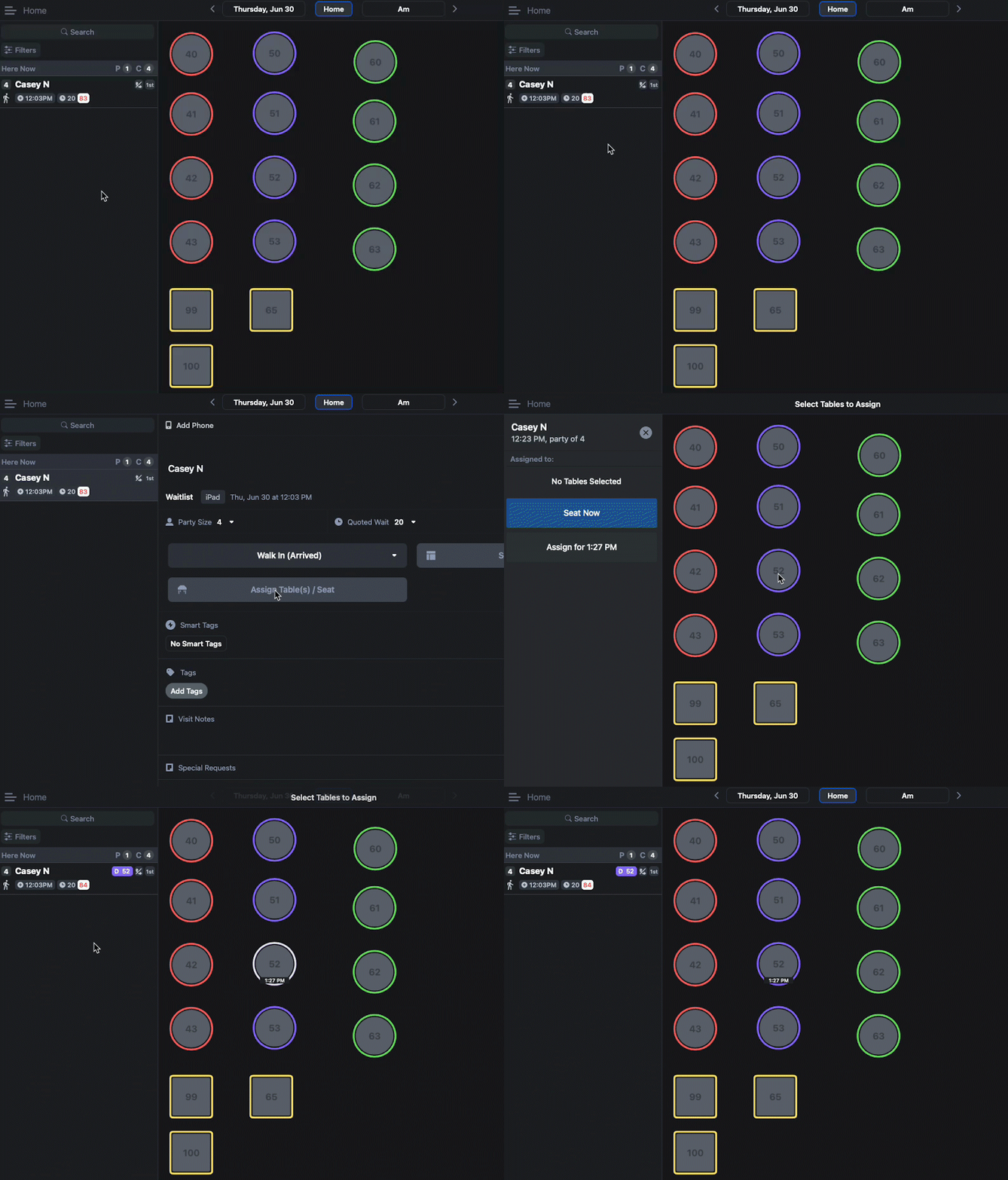
- Select the party
- On the guest profile page, tap Assign Table(s)/Seat
- Select the table you'd like to assign the party to
- Tap 'Assign for [estimated ETA]' to assign the party or 'Seat Now' to seat the party
Or:
- Drag and drop the party onto the table you would like to assign or seat
- Tap 'Assign for [estimated ETA]' to assign the party or 'Seat Now' to seat the party

Seating Assigned Parties
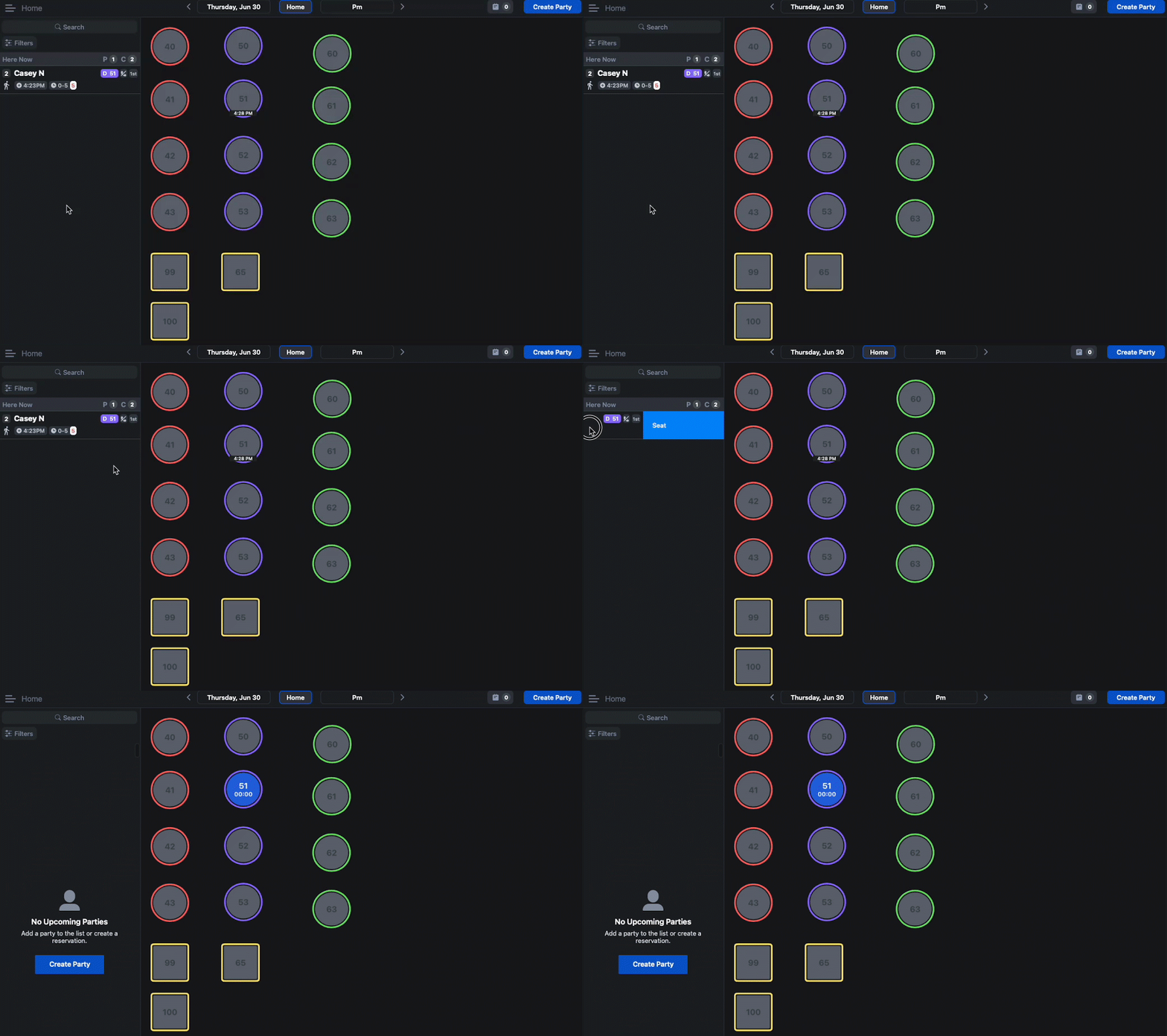
Once parties are assigned to tables, there are a few ways to seat them:
- Swipe the party information all the way to the left
Or:
- Tap on the assigned table
- Select 'Seat Now'

Or:
- Tap on the party information to bring up the guest profile
- Select 'Seat Now'